Introduction
This vignette introduces geom_kde2(), which generates a
binary plot with kernel density estimation.
Kernel density estimation (KDE) is a non-parametric method to transform continuous data into a smoothed probability density function. According to Y.-K. Hsu (2023) and Y.-K. Hsu et al. (2018), KDE has become popular in archaeological science publications (Pollard et al., 2023) mainly due to three advantages when analysing data:
- They do not assume the normality of the data;
- They can produce smoother distributions than conventional histograms, whose appearance is significantly affected by the choices of bin width and the start/end points of bins; and
- They can represent data in a multidimensional space and enable users to effectively compare different datasets either graphically or mathematically (see also De Ceuster et al. (2025) for the advantages of the use of one-dimensional KDE’s).
What is Kernel density estimation (KDE)?
Kernel density estimation is a widely-used tool for visualising the distribution of data (Simonoff, 1996).
Probability density function (pdf) shows how the whole 100% probability mass is distributed over the x-axis, i.e., over the values of an X random variable. Kernel estimation of probability density function produces a smooth empirical pdf based on individual locations of all sample data. Such pdf estimate seems to better represent the “true” pdf of a continuous variable (Węglarczyk, Stanisław, 2018).
Kernel density estimation calculation
Let the series be an independent and identically distributed (i.i.d.) sample of observations taken from a population with an unknown probability distribution function .
The kernel estimate of the original assigns each -th sample data point a function , called a kernel function, in the following way:
The kernel function is non-negative and bounded for all and :
$$ 0 \leq K(x, t) < \infty \quad \text{for all real } x, t \tag{2} $$
and, for all real ,
Property (3) ensures the required normalisation of the kernel density estimate given in (1):
In other words, the kernel transforms the “sharp” (point) location of into an interval centred (symmetrically or not) around (Węglarczyk, Stanisław, 2018).
Function workflow
geom_kde2() calculates the 2D kernel density estimate
using kde() from the ks package (Duong, 2007, 2025), while handling the contours
manually (compute.cont = FALSE). It then calculates the
actual density values (the contour levels) corresponding to the
probability levels (probs) using ks::contourLevels().
Using the base R function grDevices::contourLines(), the
contour line coordinates are generated, using the grid points
(eval.points) and the density estimate
(estimate) from the kde object, and the calculated levels.
The contour coordinates are converted into a data frame as list items.
The function extracts its coordinates (x, y) and assigns a unique group
ID for each contour. Specific error messages are printed for failed
density calculations.
The original data are then returned with the added type column and
are checked for fallback (values in the type column equals to “points”)
to determine if the density estimates failed. A data frame for plotting
points using the original x and y data from the fallback data is
created, applying the determined aesthetics and these are drawn using
the in-built GeomPoint draw_panel.
Default aesthetic values are applied if unchanged by the user.
Examples
The following examples showcase the different visualisation and
density estimate calculations for geom_kde2d().
Basic biplot
library(ASTR)

# load example lead isotope data that is included with the package

data(ArgentinaDatabase)

library(ggplot2)

ggplot(
  ArgentinaDatabase,
  aes(
    x = `206Pb/204Pb`,
    y = `207Pb/204Pb`,
    fill = `Mining site`
  )
) +
  geom_kde2d() +
  theme_minimal() +
  # move the legend under the plot so the
  # site names are fully legible
  theme(
    legend.position = "bottom",
    legend.direction = "horizontal"
  ) +
  guides(fill = guide_legend(
    nrow = 10,
    theme = theme(legend.byrow = TRUE)
  ))
#> No density estimate possible for group '2', plotting points instead: infinite or missing values in 'x'
#> No density estimate possible for group '3', plotting points instead: the leading minor of order 2 is not positive
#> No density estimate possible for group '5', plotting points instead: infinite or missing values in 'x'
#> No density estimate possible for group '12', plotting points instead: infinite or missing values in 'x'
#> No density estimate possible for group '13', plotting points instead: infinite or missing values in 'x'
#> No density estimate possible for group '14', plotting points instead: infinite or missing values in 'x'
#> No density estimate possible for group '16', plotting points instead: infinite or missing values in 'x'
#> No density estimate possible for group '21', plotting points instead: the leading minor of order 2 is not positive
#> No density estimate possible for group '23', plotting points instead: infinite or missing values in 'x'
#> No density estimate possible for group '24', plotting points instead: infinite or missing values in 'x'
#> No density estimate possible for group '25', plotting points instead: infinite or missing values in 'x'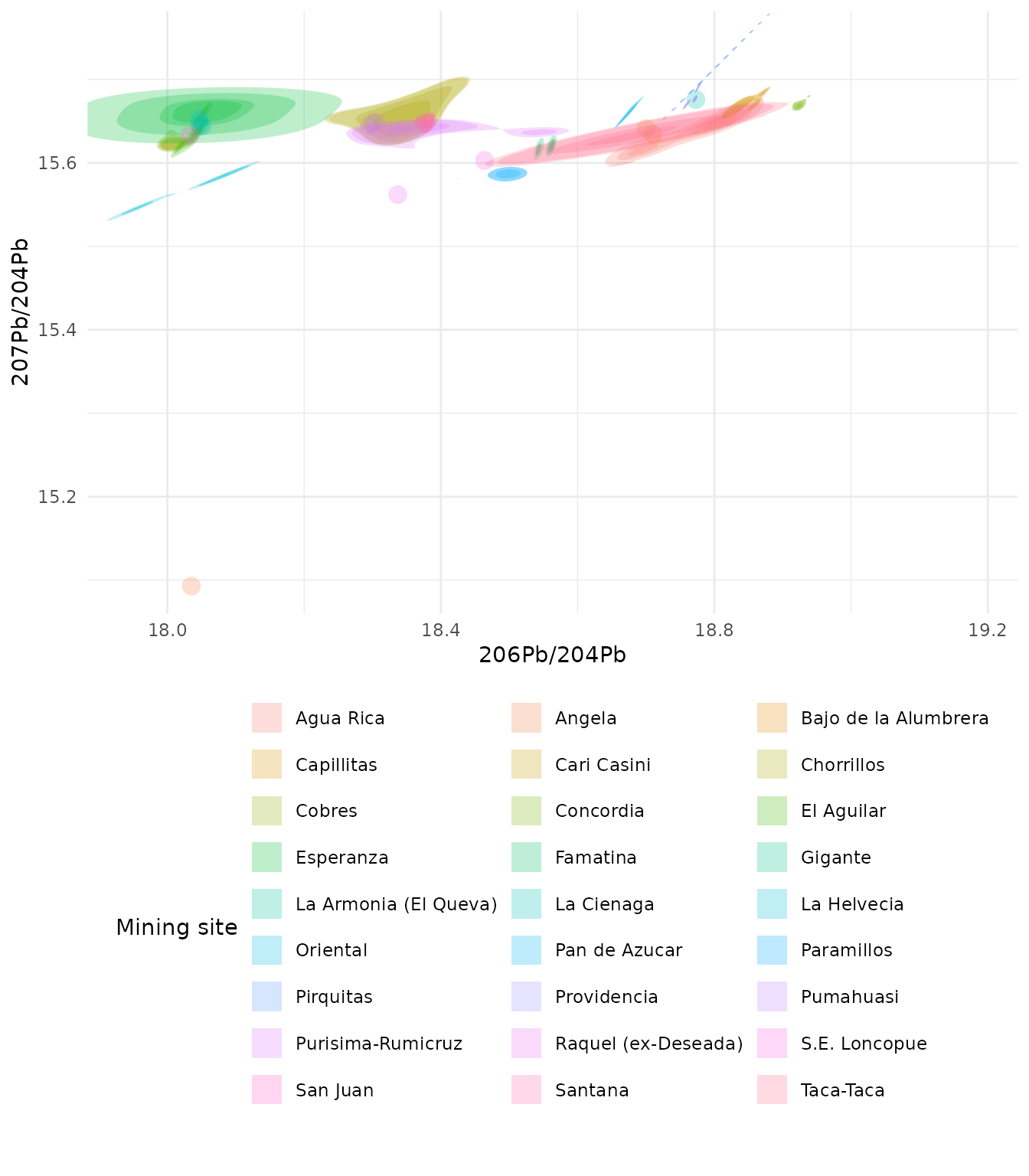
This example reads in the sample dataset and calculates the kernel
density estimates in the function geom_kde2d(), colouring
by the Mining site variable from the dataset. Warning
messages appear for each group where the sample size is too small to
calculate the estimates:
No density estimate possible for group 'x', plotting points instead: the leading minor of order 1 is not positive.
In those cases, the plotting falls back to plotting individual points
from the original dataset.
Biplot with adjusted quantiles to show deciles
The default function reverts to 4 quantiles. This examples
illustrates the quantiles set to 10 to show deciles. It also sets the
transparency to 0.5 (alpha).
ggplot(
  ArgentinaDatabase,
  aes(
    x = `206Pb/204Pb`,
    y = `207Pb/204Pb`,
    fill = `Mining site`
  )
) +
  geom_kde2d(
    quantiles = 10,
    alpha = 0.5
  ) +
  theme_minimal() +
  # move the legend under the plot so the
  # site names are fully legible
  theme(
    legend.position = "bottom",
    legend.direction = "horizontal"
  ) +
  guides(fill = guide_legend(
    nrow = 10,
    theme = theme(legend.byrow = TRUE)
  ))
#> No density estimate possible for group '2', plotting points instead: infinite or missing values in 'x'
#> No density estimate possible for group '3', plotting points instead: the leading minor of order 2 is not positive
#> No density estimate possible for group '5', plotting points instead: infinite or missing values in 'x'
#> No density estimate possible for group '12', plotting points instead: infinite or missing values in 'x'
#> No density estimate possible for group '13', plotting points instead: infinite or missing values in 'x'
#> No density estimate possible for group '14', plotting points instead: infinite or missing values in 'x'
#> No density estimate possible for group '16', plotting points instead: infinite or missing values in 'x'
#> No density estimate possible for group '21', plotting points instead: the leading minor of order 2 is not positive
#> No density estimate possible for group '23', plotting points instead: infinite or missing values in 'x'
#> No density estimate possible for group '24', plotting points instead: infinite or missing values in 'x'
#> No density estimate possible for group '25', plotting points instead: infinite or missing values in 'x'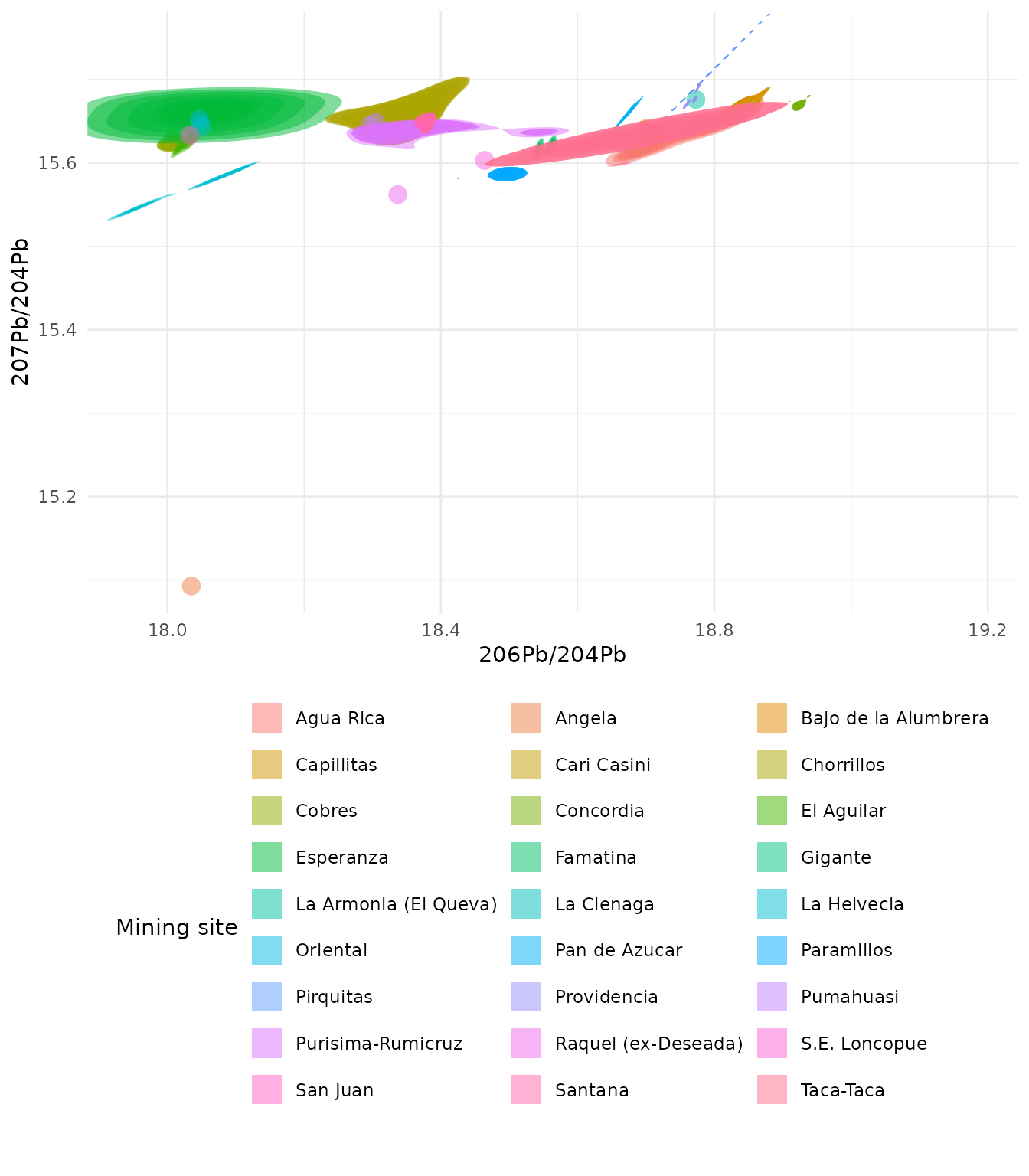
Biplot with the minimum probability argument added to show only density regions above the median
ggplot(
  ArgentinaDatabase,
  aes(
    x = `206Pb/204Pb`,
    y = `207Pb/204Pb`,
    fill = `Mining site`
  )
) +
  geom_kde2d(
    quantiles = 10,
    min_prob = 0.5
  ) +
  theme_minimal() +
  # move the legend under the plot so the
  # site names are fully legible
  theme(
    legend.position = "bottom",
    legend.direction = "horizontal"
  ) +
  guides(fill = guide_legend(
    nrow = 10,
    theme = theme(legend.byrow = TRUE)
  ))
#> No density estimate possible for group '2', plotting points instead: infinite or missing values in 'x'
#> No density estimate possible for group '3', plotting points instead: the leading minor of order 2 is not positive
#> No density estimate possible for group '5', plotting points instead: infinite or missing values in 'x'
#> No density estimate possible for group '12', plotting points instead: infinite or missing values in 'x'
#> No density estimate possible for group '13', plotting points instead: infinite or missing values in 'x'
#> No density estimate possible for group '14', plotting points instead: infinite or missing values in 'x'
#> No density estimate possible for group '16', plotting points instead: infinite or missing values in 'x'
#> No density estimate possible for group '21', plotting points instead: the leading minor of order 2 is not positive
#> No density estimate possible for group '23', plotting points instead: infinite or missing values in 'x'
#> No density estimate possible for group '24', plotting points instead: infinite or missing values in 'x'
#> No density estimate possible for group '25', plotting points instead: infinite or missing values in 'x'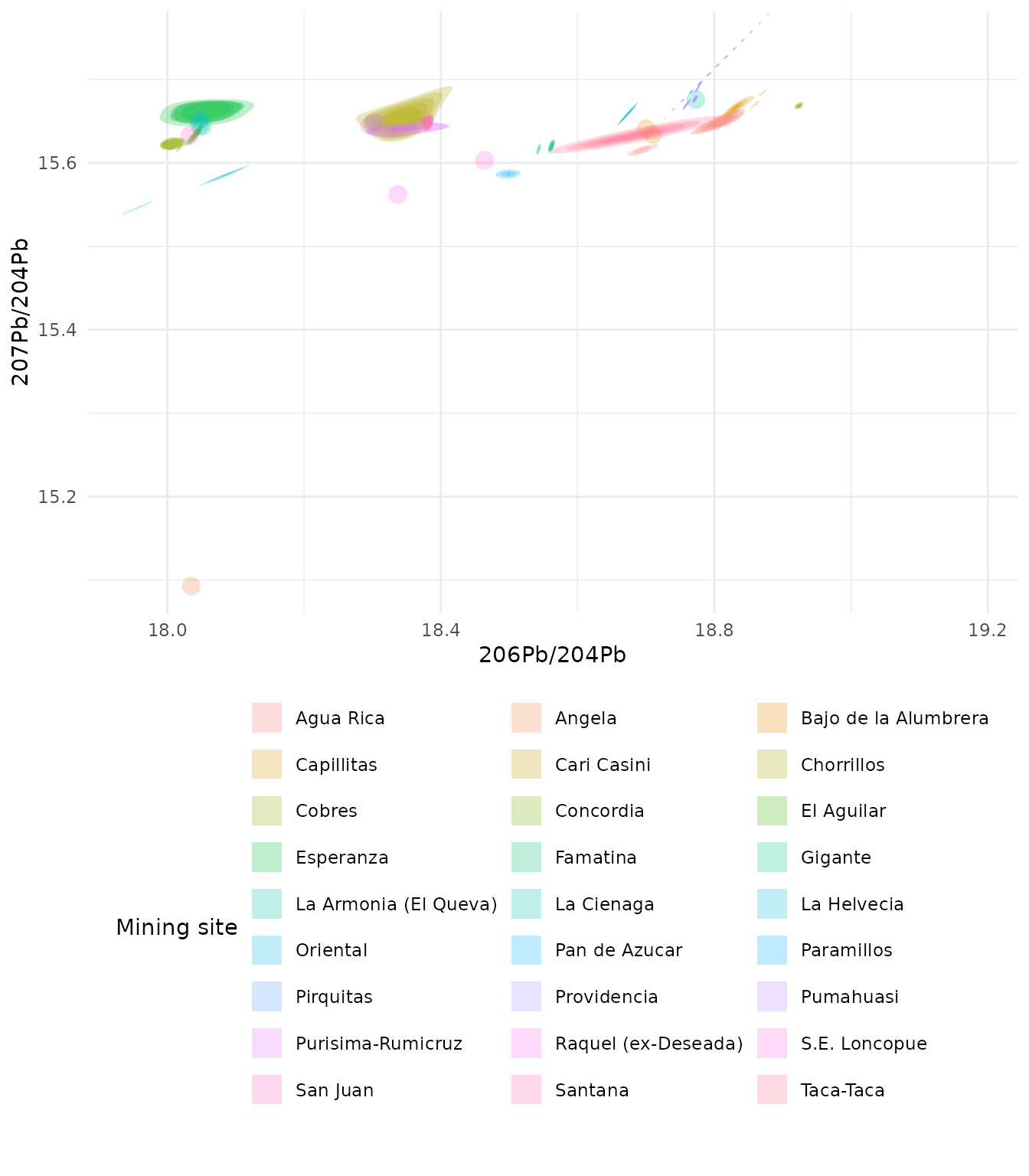
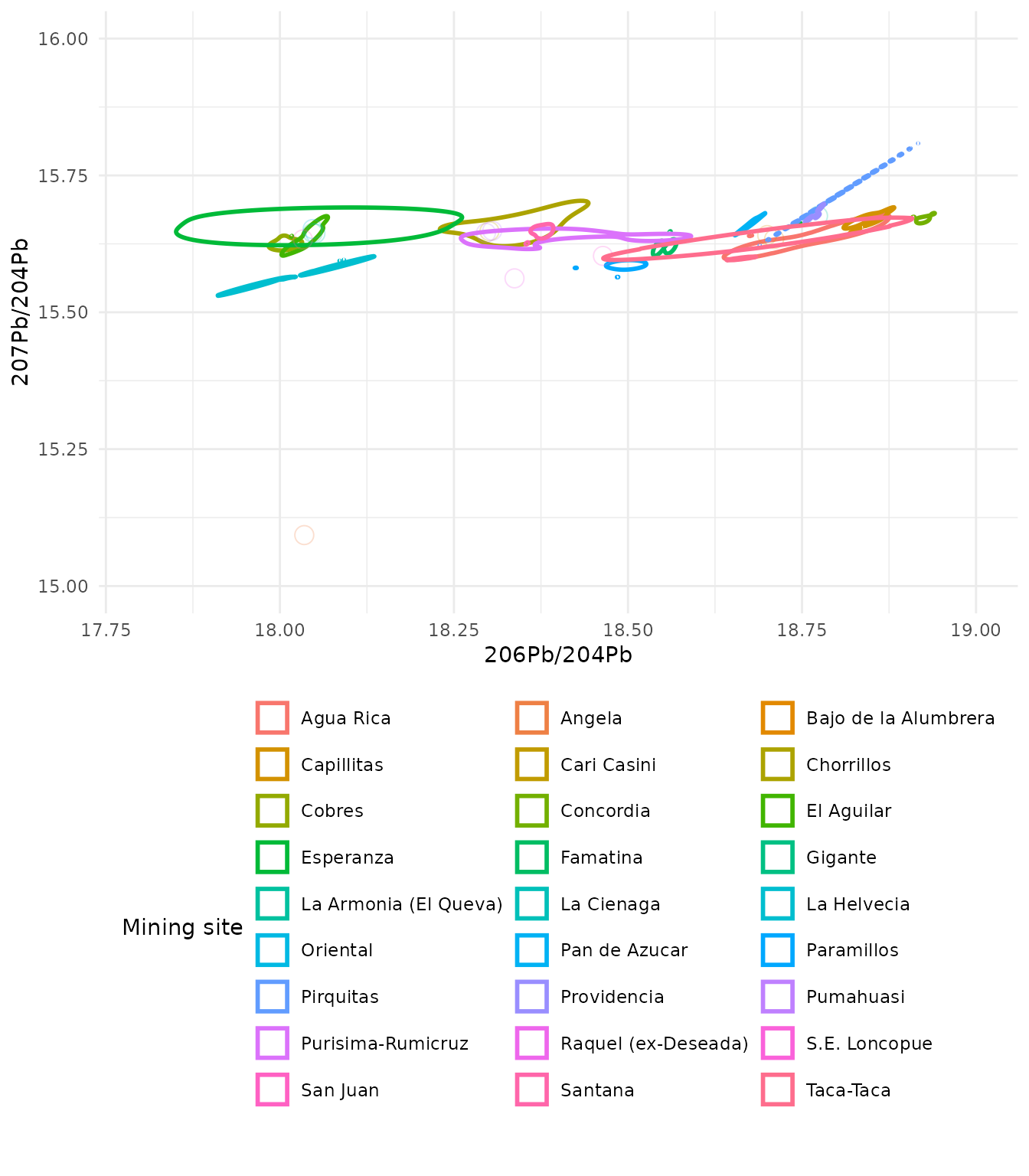
Creation of an outline effect around the density region
For this effect the fill argument is set to NA
ggplot(
  ArgentinaDatabase,
  aes(
    x = `206Pb/204Pb`,
    y = `207Pb/204Pb`,
    colour = `Mining site`
  )
) +
  geom_kde2d(
    quantiles = 1,
    min_prob = 0,
    fill = NA
  ) +
  theme_minimal() +
  # move the legend under the plot so the
  # site names are fully legible
  theme(
    legend.position = "bottom",
    legend.direction = "horizontal"
  ) +
  guides(colour = guide_legend(
    nrow = 10,
    theme = theme(legend.byrow = TRUE)
  ))
#> No density estimate possible for group '2', plotting points instead: infinite or missing values in 'x'
#> No density estimate possible for group '3', plotting points instead: the leading minor of order 2 is not positive
#> No density estimate possible for group '5', plotting points instead: infinite or missing values in 'x'
#> No density estimate possible for group '12', plotting points instead: infinite or missing values in 'x'
#> No density estimate possible for group '13', plotting points instead: infinite or missing values in 'x'
#> No density estimate possible for group '14', plotting points instead: infinite or missing values in 'x'
#> No density estimate possible for group '16', plotting points instead: infinite or missing values in 'x'
#> No density estimate possible for group '21', plotting points instead: the leading minor of order 2 is not positive
#> No density estimate possible for group '23', plotting points instead: infinite or missing values in 'x'
#> No density estimate possible for group '24', plotting points instead: infinite or missing values in 'x'
#> No density estimate possible for group '25', plotting points instead: infinite or missing values in 'x'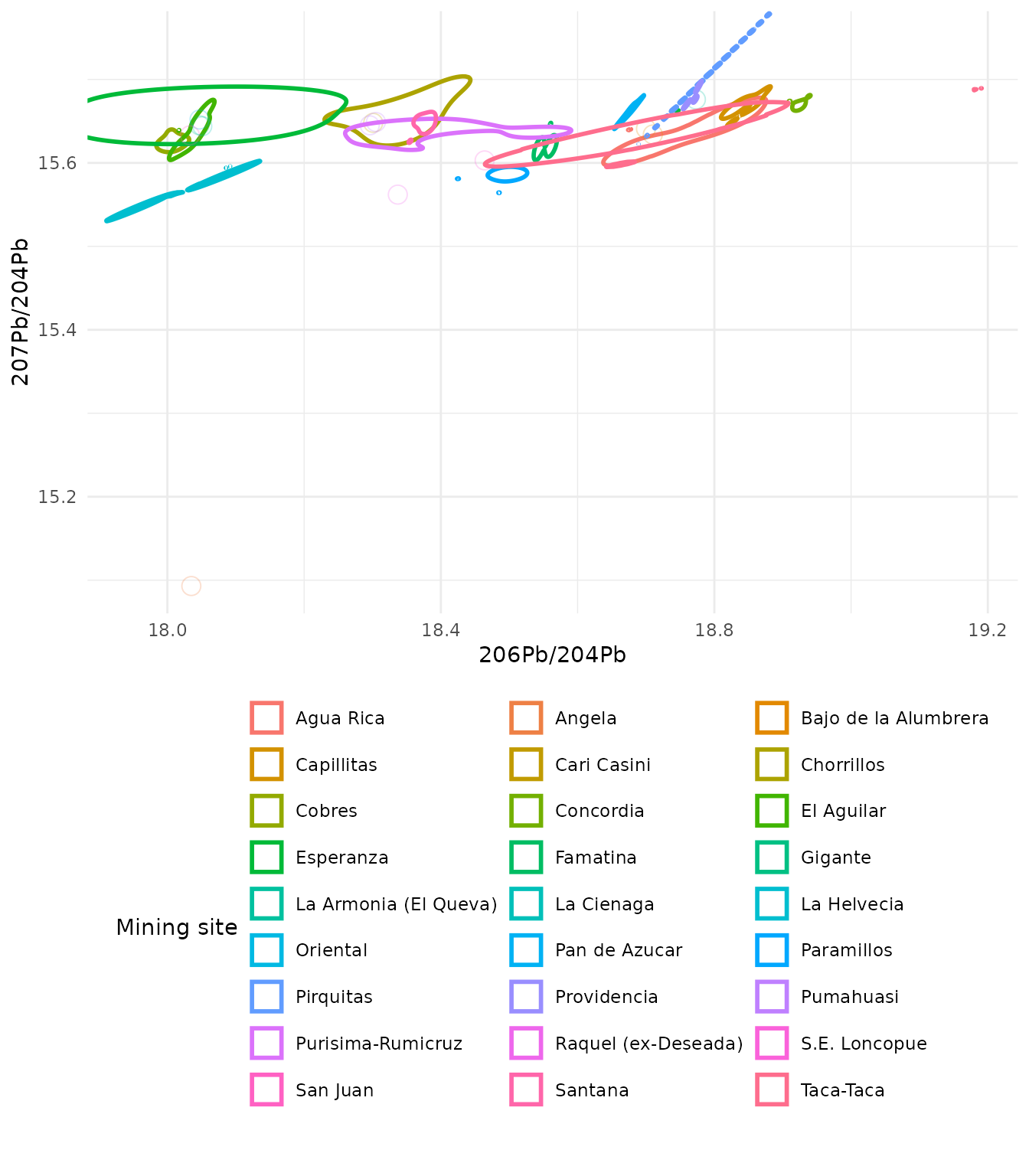
Creation of an outline effect around the density region solving clipping issues
In some cases density regions can be clipped by the plot area. The
addition of coord_cartesian() from the package
ggplot2 expands the plot area so that the full density
regions are shown without clipping. The limits are set for the axes
using the xlim and ylim arguments.
ggplot(
  ArgentinaDatabase,
  aes(
    x = `206Pb/204Pb`,
    y = `207Pb/204Pb`,
    colour = `Mining site`
  )
) +
  geom_kde2d(
    quantiles = 1,
    min_prob = 0,
    fill = NA
  ) +
  coord_cartesian(
    xlim = c(17.8, 19),
    ylim = c(15, 16),
    clip = "off"
  ) +
  theme_minimal() +
  # move the legend under the plot so the
  # site names are fully legible
  theme(
    legend.position = "bottom",
    legend.direction = "horizontal"
  ) +
  guides(colour = guide_legend(
    nrow = 10,
    theme = theme(legend.byrow = TRUE)
  ))
#> No density estimate possible for group '2', plotting points instead: infinite or missing values in 'x'
#> No density estimate possible for group '3', plotting points instead: the leading minor of order 2 is not positive
#> No density estimate possible for group '5', plotting points instead: infinite or missing values in 'x'
#> No density estimate possible for group '12', plotting points instead: infinite or missing values in 'x'
#> No density estimate possible for group '13', plotting points instead: infinite or missing values in 'x'
#> No density estimate possible for group '14', plotting points instead: infinite or missing values in 'x'
#> No density estimate possible for group '16', plotting points instead: infinite or missing values in 'x'
#> No density estimate possible for group '21', plotting points instead: the leading minor of order 2 is not positive
#> No density estimate possible for group '23', plotting points instead: infinite or missing values in 'x'
#> No density estimate possible for group '24', plotting points instead: infinite or missing values in 'x'
#> No density estimate possible for group '25', plotting points instead: infinite or missing values in 'x'